
Answer on the visual
The viewer marks the diagram itself instead of describing where they would have pointed.
Ask a question
Ask viewers to circle, mark, or annotate directly on the frame, and keep the drawing as their submitted answer.
What it does
Some questions are about a place on an image, and describing it in words loses the point.
The viewer marks the diagram itself instead of describing where they would have pointed.
A marked-up frame is quicker to review than a paragraph attempting the same thing.
Each annotation is kept against the viewer as their response to that question.
In practice
Diagrams, anatomy, maps, artwork, and equipment.
In depth
Hyper focus your response collection to what matters most, while enabling your viewers to show you - not just tell you.
Imagine if you had to teach someone how to tie their shoes, using only words. Could you? It’s entirely possible , but it’s far from the most productive solution. This lighthearted example is indicative of what real trainers and educators endure on a daily basis with limited e-learning resources. Multiple choice, free response, and “choose all that apply” questions will only get you so far. Use Mindstamps Drawing Responses to create a “hands-on” e-learning experience and collect specific responses with pinpoint accuracy.
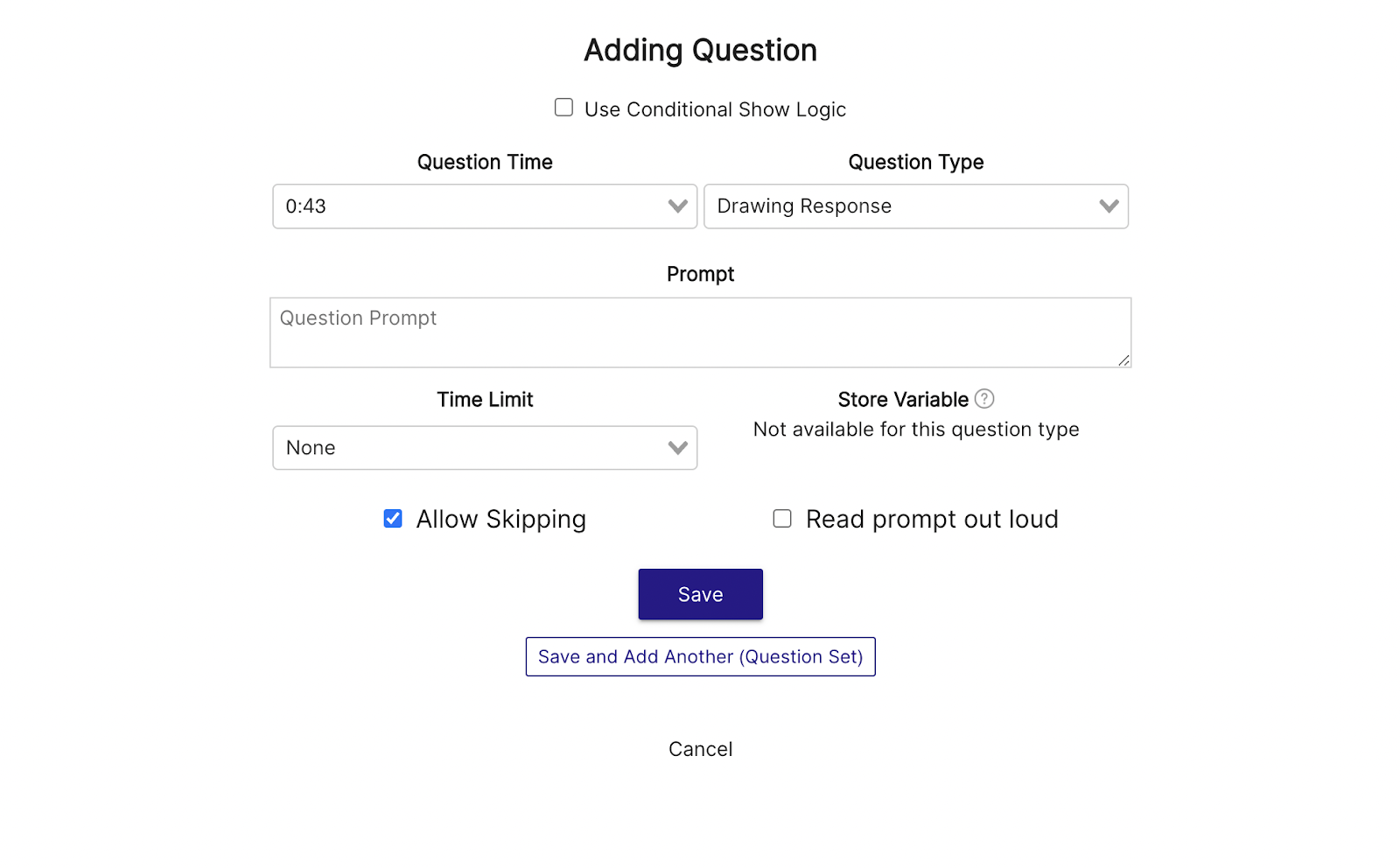
Drawing Response questions take whatever is currently on-screen at the time of the question, and turn it into a “whiteboard” of sorts, that your viewers can draw on. To implement a Drawing Response question, select the “Question” interaction from the toolbar below your video, then use the “Question Type” dropdown menu to select the Drawing Response. From there, you’ll be able to add your prompt. Remember - your viewers will only be able to draw on whatever is on screen at the time of the question, so ensure the prompt is aligned with the video time.
Once added to the video, your viewers will be able to access a variety of drawing tools, including: free draw, add text, line, pointer, circle, arrow, and a color wheel to change drawing colors. This large array of tools will ensure that your viewers are able to provide a response that exhibits their understanding of the concept at hand.
One of the most laborious aspects of joining a new team or place of employment is undoubtedly learning the internal systems. Each company has their own ways of doing things, their own proprietary systems, and they’re often all of great importance. So, when you teach your employees about these systems, it’s important to keep them engaged and properly assess their understanding so they’re confident when they hit the floor on their first day without direct supervision. The Drawing Response is an excellent way to ensure this understanding.
Regardless of industry - workplace safety is a top priority. To ensure your employees are operating in a safe and productive way, use a Drawing Response quiz to identify and coach vulnerabilities. You could say something like “Circle the unsafe scenario” and portray a picture of the workplace with a hidden “red flag” of some kind. The user would then have to identify and circle the bunsen burner that had been left plugged in, the back door being cracked open, or the forklift being operated by someone without a yellow vest, etc.
Additionally, if you have employees operating out of locations that can’t be physically managed by a member of leadership at all times, it’s important that those present are familiar with compliance codes and procedures. For example, if a Fire Marshall is present to complete the annual inspection, your employees should know where the proper paperwork is located, and how to find the fire extinguishers. Drawing response questions are a great way to assess this knowledge without being physically present.
If you’re training a mechanical or electrical team to install or maintain a product for your customers, it’s important that they’re confident in how the system works. With the drawing response, you’re able to portray a picture of the back of a generator, for instance, and ask “Where would you plug in part 15C?” Once again breaking the boundaries of traditional multiple choice questions and assessing what matters most.
What gets measured
Related
These combine on one timeline — most videos use three or four together.
Let viewers select every option that applies, and score the whole set rather than a single pick.
Explore →Set the correct response on any question so Mindstamp scores it automatically and reports who passed.
Explore →Collect a real date from the viewer inside the video, in a format that stays usable downstream.
Explore →Give viewers a dropdown when there are too many options to show as buttons, and keep the frame clean.
Explore →Ask an open question inside the video and collect typed answers against each viewer, no form page required.
Explore →Run proper Likert items inside the video so attitude and confidence surveys sit where the material is.
Explore →Questions
Yes — the response is drawn with a finger, stylus, or mouse depending on the device.
Yes. Submitted drawings are collected per question and reviewable per viewer.
Try it on one video
Put a diagram on screen and see where people actually point.