
Partial credit handled
Score the full selection instead of forcing a question into a single-answer shape it does not fit.
Ask a question
Let viewers select every option that applies, and score the whole set rather than a single pick.
What it does
Real procedures rarely have exactly one correct step, and scoring should reflect that.
Score the full selection instead of forcing a question into a single-answer shape it does not fit.
Choosing which options apply is a harder and more useful check than picking one from four.
See which specific option people miss, not just that the question was failed.
In practice
Checklists, procedures, and anything where the mistake is an omission.
In depth
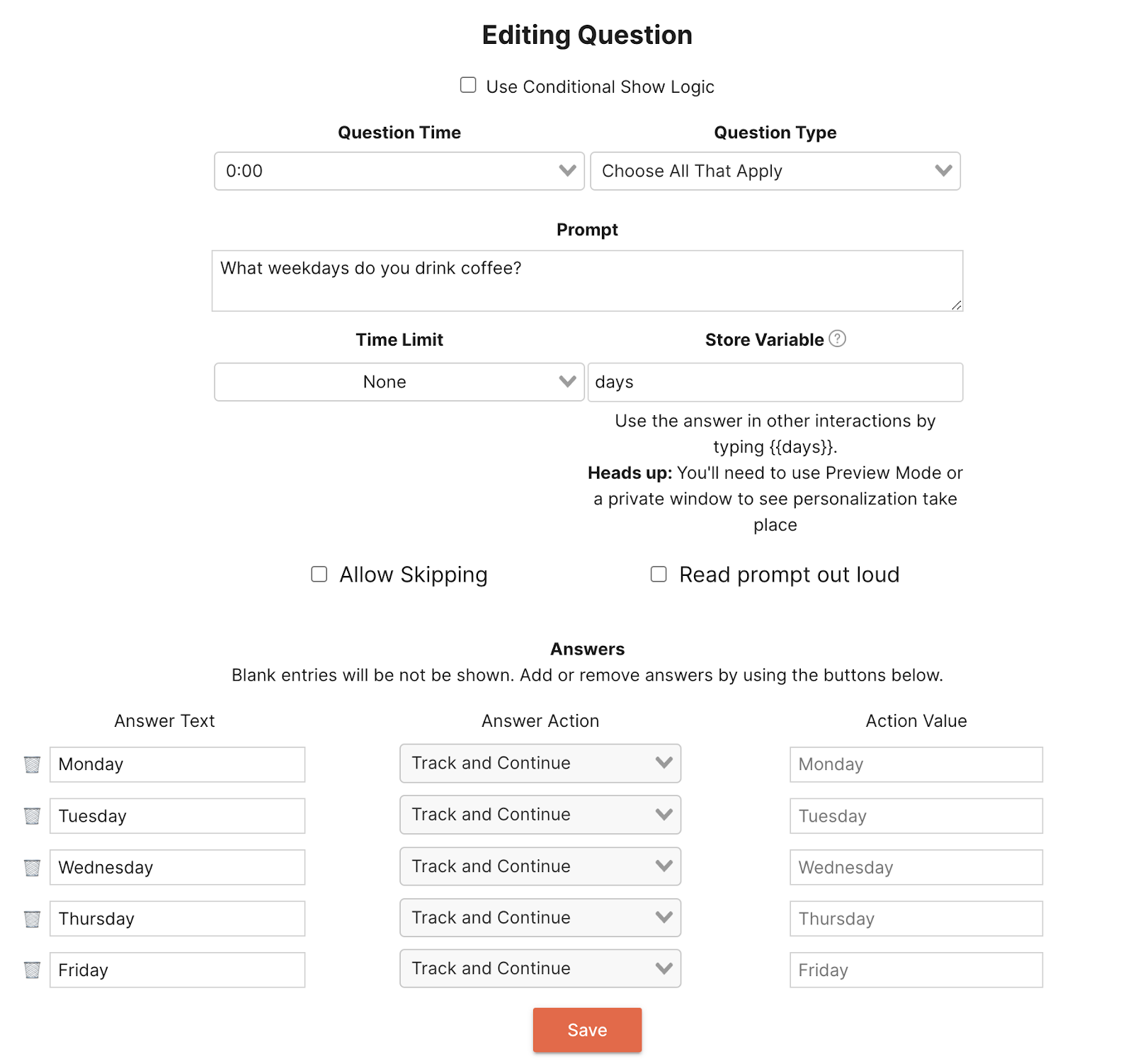
When adding a question in your interactive video, select the question type “Choose All That Apply.” You can then add a prompt with an answer bank of up to five choices. Additionally, you can store your viewers results in a variable and use it for other interactions throughout the rest of your interactive video.
Once added to your video, your audience will see an elegant, interactive Select All that Apply question.
When you use a Select All That Apply question in your video, you can store the results in a variable for later interactions. This is extremely powerful because based on a user’s choices, you can show content specific to their interests. For example, if you were creating a training course and you wanted to understand what topics your audience came to see, you could use a Select All That Apply question type to gauge which topics they were interested in.
For example, if you created a question asking your audience what they were interested in the most in the Cryptoeconomy, you can then use navigation and conditional logic to show them specific portions of your video addressing those topics or bring them to a different video entirely.
Although Select All That Apply questions do not have a correctness associated with them, using variables and conditional logic, you can still create an experience for your audience based on their answers to your Select All That Apply questions. For example, if you have a question asking the viewer to select all the true statements, you can use conditional statements to display a message indicating that they answered the question correctly. This method allows you to add a quiz-like structure to your interactive video.
What gets measured
Related
These combine on one timeline — most videos use three or four together.
Set the correct response on any question so Mindstamp scores it automatically and reports who passed.
Explore →Collect a real date from the viewer inside the video, in a format that stays usable downstream.
Explore →Ask viewers to circle, mark, or annotate directly on the frame, and keep the drawing as their submitted answer.
Explore →Give viewers a dropdown when there are too many options to show as buttons, and keep the frame clean.
Explore →Ask an open question inside the video and collect typed answers against each viewer, no form page required.
Explore →Run proper Likert items inside the video so attitude and confidence surveys sit where the material is.
Explore →Questions
You decide whether the response must match exactly or whether partial selections earn credit, and the report shows the selection either way.
Yes. Conditional logic can read the selection and route accordingly.
Try it on one video
Put a real checklist in front of a viewer and see which step they leave out.