
Structured, not typed
A picker means no ambiguity between day-month and month-day when the data reaches your CRM.
Ask a question
Collect a real date from the viewer inside the video, in a format that stays usable downstream.
What it does
Typed dates arrive in six formats. A date question arrives in one.
A picker means no ambiguity between day-month and month-day when the data reaches your CRM.
Route on how soon the date is, so an urgent answer reaches a person and a distant one does not.
The value maps to a date field rather than landing as free text in a notes box.
In practice
Timelines, renewals, and deadlines — the questions that decide priority.
In depth
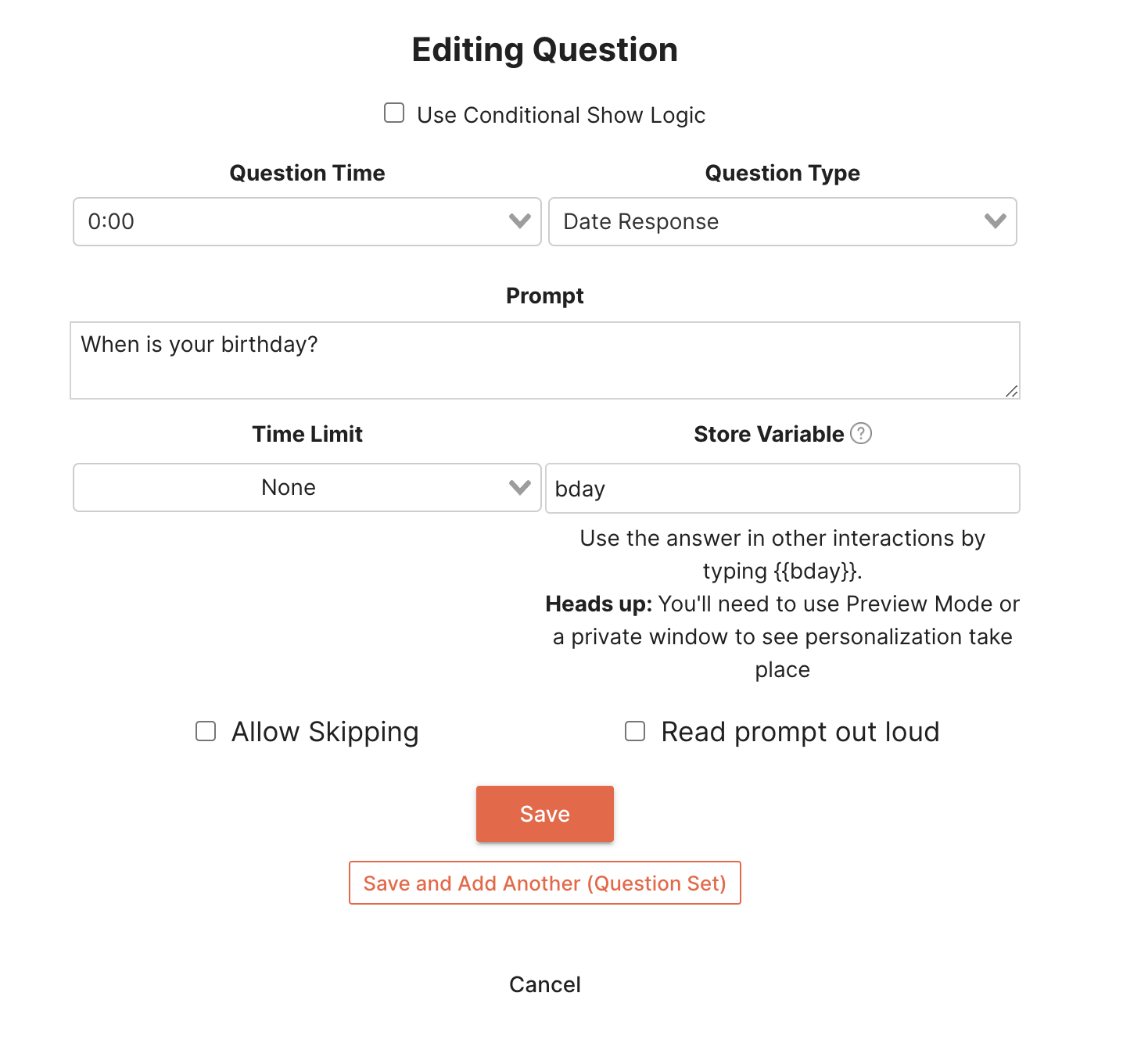
Once you have created a question on your interactive video, you can add a date question by selecting “Date Response” in the question type field. From there, you can add a prompt and time limit, change settings, and even assign the date as a variable.
Then when your audience gets to your question in the video, they will be presented with the prompt and the date picker to go with it. One of the best features of the date question is that it requires your audience to enter a valid date. With traditional free response, your audience might not put an actual date in or a date in the format that you were not expecting. A date question is a great way to ensure that you are receiving answers to your questions in a way that makes sense to you.
When you partner with Mindstamp for creating your video marketing campaigns, it is important to target the appropriate audience. By applying date questions you can focus your different campaigns on different groups of people based on their age. For example if you gathered your audience’s age at the beginning of your video, depending on their response, you could link them to a subscribe interaction that points to your TikTok, Snapchat, Facebook, or Youtube depending on the age demographic you collected. This provides you a unique, interactive way to engage with your audience based on their age group.
When quizzing your audience based on your content. You might inquire about when a specific date occurred. Now although correctness is not supported through a date question, you can use the powerful variables feature coupled with conditional logic to test for a correct date, day, month, or year.
What gets measured
Related
These combine on one timeline — most videos use three or four together.
Let viewers select every option that applies, and score the whole set rather than a single pick.
Explore →Set the correct response on any question so Mindstamp scores it automatically and reports who passed.
Explore →Ask viewers to circle, mark, or annotate directly on the frame, and keep the drawing as their submitted answer.
Explore →Give viewers a dropdown when there are too many options to show as buttons, and keep the frame clean.
Explore →Ask an open question inside the video and collect typed answers against each viewer, no form page required.
Explore →Run proper Likert items inside the video so attitude and confidence surveys sit where the material is.
Explore →Questions
A structured date value, so it is unambiguous regardless of the viewer’s locale.
Yes. Conditional logic can compare the date and route accordingly.
Try it on one video
Find out how soon a viewer actually needs this, while they are still watching.