
Skip what they know
Let an experienced viewer jump the setup instead of losing them to it.
Move through the video
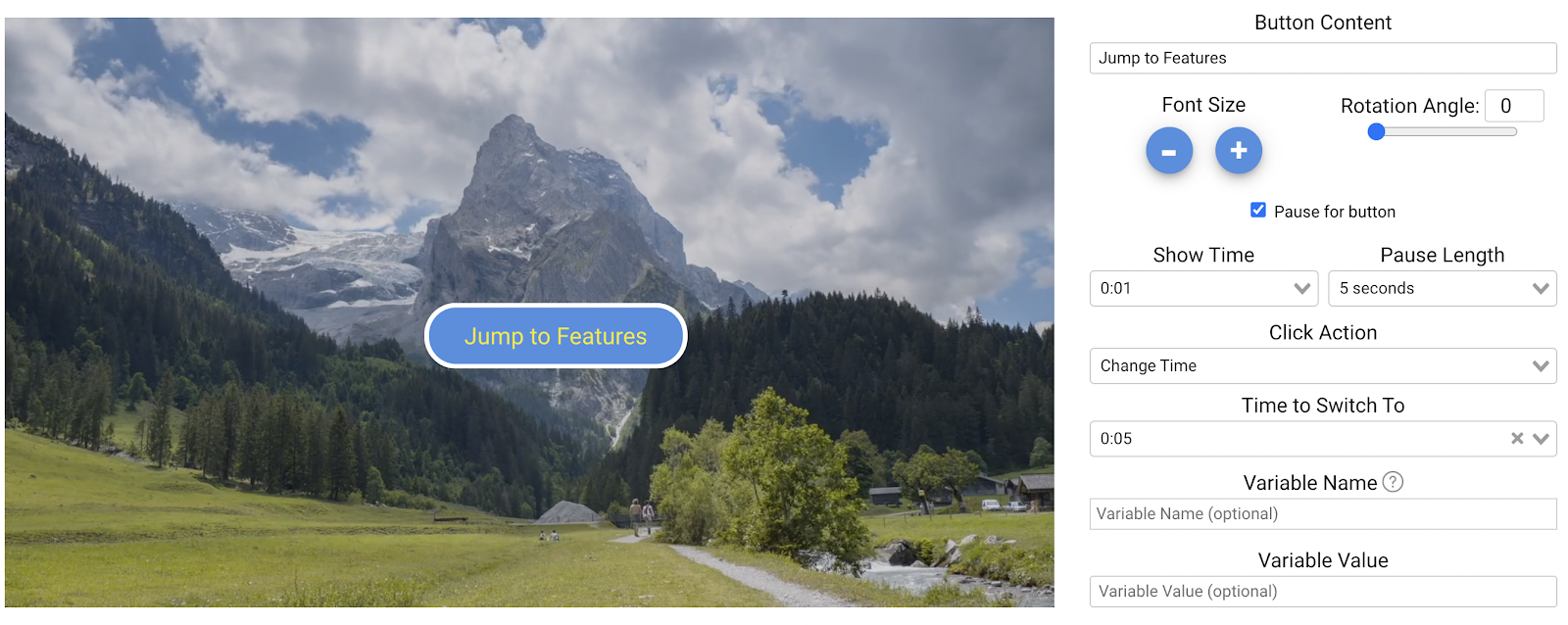
Send viewers to any timecode from a button, hotspot, or answer — forward to skip, back to review.
What it does
The same recording can be short for someone who knows it and thorough for someone who does not.
Let an experienced viewer jump the setup instead of losing them to it.
Send a wrong answer back to the exact explanation rather than to the start.
A set of time jumps is how a table of contents inside a video is made.
In practice
Menus, review loops, and skip-ahead paths.
In depth
Jump your viewer to another section of your video with no disruption to their viewing experience.
While chapters offer a seamless interaction to let viewers find the content they want, Mindstamp’s change time capability provides a more robust interactive design to trigger video navigation based on questions your viewers answer, buttons they have pressed, images they have clicked on, and many more.
By adding various buttons or images, you can create an interactive table of contents that requires your viewer to make a decision on how to proceed through their interactive experience. Or create a choose your own adventure interactive experience that is fun and exciting for your audience. By pausing your video until one of the interactions is clicked, you can ensure your viewers are selecting the content they want to see.
Through the use of hotspots, you can direct your viewers to a portion of the video that provides additional information or content that may be worthwhile for your audience. Adding hotspots on top of elements natively in the video allows the viewer to choose what they want to see next.
When posing a question for your audience, you can ensure comprehension through Mindstamp’s change time capability. By tracking correctness, you can change the time for your viewer based on their responses. For example, if a viewer answers a question incorrectly, you can take them to the point in the video where you explain the concepts in detail. If they answered correctly, you can take them to the next topic in the video.
Using Mindstamp’s navigation capability, you can dynamically move your viewer to a different portion of the video. Couple this with variables and conditional logic, and you have a custom tailored experience that will keep your audience engaged longer.
What gets measured
Related
These combine on one timeline — most videos use three or four together.
Chain videos into an ordered playlist so a multi-part programme runs as one experience with one report.
Explore →Let viewers search inside the video and jump straight to the point where the answer is.
Explore →Offer choices in the video and jump to a different scene, clip, or video based on what each viewer selects.
Explore →Define clips inside an existing recording and reuse the parts you need without going back to an editor.
Explore →Control colours, logo, and player styling so the interactive experience looks like your product, not a tool.
Explore →Open a Calendly or HubSpot calendar as an interaction, so the meeting is taken at the moment the buyer decides.
Explore →Questions
Yes — conditional logic can move the viewer without them clicking anything.
No. The path each viewer took is exactly what gets recorded.
Try it on one video
Let the people who already know the first two minutes past them.