
Your colours and logo
Buttons, questions, and controls take your brand rather than a default palette.
Personalise and brand
Control colours, logo, and player styling so the interactive experience looks like your product, not a tool.
What it does
A viewer should not be able to tell which vendor you used to build the experience.
Buttons, questions, and controls take your brand rather than a default palette.
The same styling wherever the video is placed — site, LMS, or email.
Branded interactions read as part of the product instead of a bolted-on widget.
In practice
Anywhere the video sits next to your own interface.
In depth
Mindstamp offers a suite of customization tools that allow you to color match, boost brand recognition, and more!
So - you’ve just created an unforgettable interactive video and you’re ready to send it to your audience. Before you hit “Share,” remember to customize your video and make it your own! By utilizing Mindstamps comprehensive design settings, you can make your content reflective of your brand, school, team, and more. Have a look at some of the many ways you can use the design settings to fine tune your interactive videos appearance.
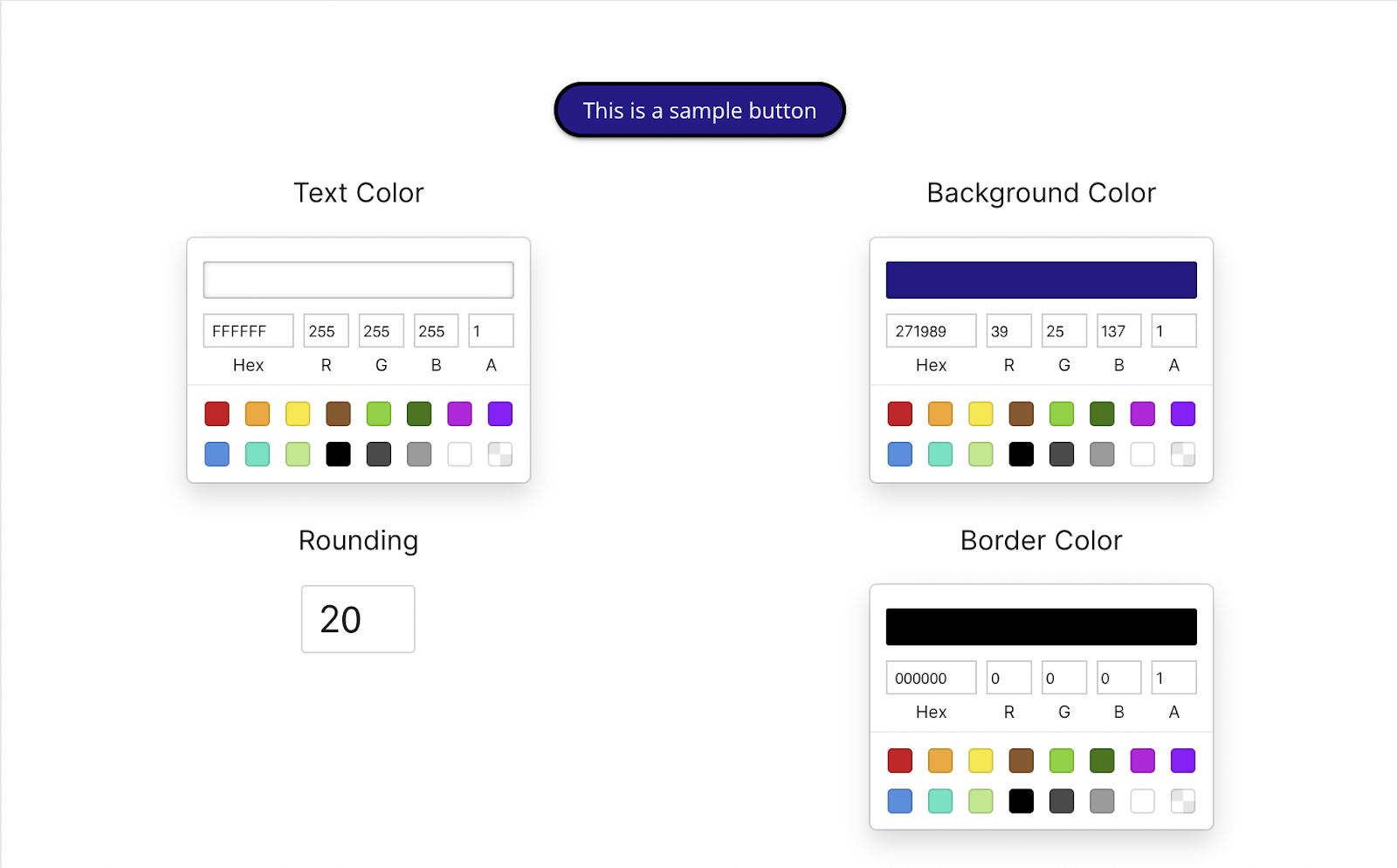
With Mindstamps thoughtful design settings, you’re able to perfectly capture the color of your brand, school, team, etc. in-video. Keping video content consistent with your other communications or material is a must if you’re serious about making a good first impression with students or clients! You can customize the color of almost anything platform-wide including buttons, hotspots, question answer bubbles, comments, text, and more.
Does your organization have a proprietary or preferred font that’s used in communications? Not only does Mindstamp offer dozens of baked-in fonts to choose from, you can also upload your very own custom font (Core tier and above). Make your videos an extension of your ecosystem by making the text appear the exact same way it does on your other systems!
Personalization and brand recognition doesn’t just take place within the video itself - the link you send matters, too! At Mindstamp, we provide you with a share link like the one below:
However, at the Core and Enterprise tiers, you can apply personalization to your share link with custom URLs (Core) and custom Domains (Enterprise). This allows you to fine tune your share link and include information like company name and video title. Take a look below to see an example of custom URLs, and custom Domains:
In addition to all the aforementioned brand matching, you can also configure the video’s thumbnail and play button to create a unique, personalized feel!
Finally, add your brand's logo to be shown throughout the video or next to comment bubbles!
What gets measured
Related
These combine on one timeline — most videos use three or four together.
Generate a certificate when a viewer completes and passes, so evidence of training exists without anyone producing it.
Explore →Group viewers so access, reporting, and results are managed per team, cohort, or client rather than one at a time.
Explore →Render viewer and account details into the video at play time, so one recording addresses every recipient individually.
Explore →Open a Calendly or HubSpot calendar as an interaction, so the meeting is taken at the moment the buyer decides.
Explore →Ask for contact details before the video starts, at a chosen moment, or on a specific interaction — without sending anyone to a form page.
Explore →Send viewers to any timecode from a button, hotspot, or answer — forward to skip, back to review.
Explore →Questions
Yes — useful for agencies and for teams running more than one product brand.
Yes. Questions, buttons, and overlays take the same styling as the player.
Try it on one video
Set the colours once and every interactive video inherits them.